Migration overview
Use Neptune Exporter to export your data from Neptune and optionally load it into other experiment tracking tools.
Migration steps:
- Check your Neptune version and choose the corresponding export guide.
- Use the Neptune Exporter CLI to get your data from Neptune.
- (Optional) Load the data into another tool.
Neptune Exporter
Neptune Exporter is a command-line tool for downloading your data from Neptune and migrating it into other platforms. It supports the following actions:
- Download runs from Neptune to your local storage as Parquet files.
- Load the Parquet files into MLflow or Weights & Biases. The run structure, that includes forks, steps, and attributes, is preserved as closely as possible.
- Validate your exports with a human-readable summary of the data layout.
You can use Neptune Exporter with both Neptune 2.x and Neptune 3.x.
The README file contains detailed prerequisites and complete usage instructions.
Check your Neptune version
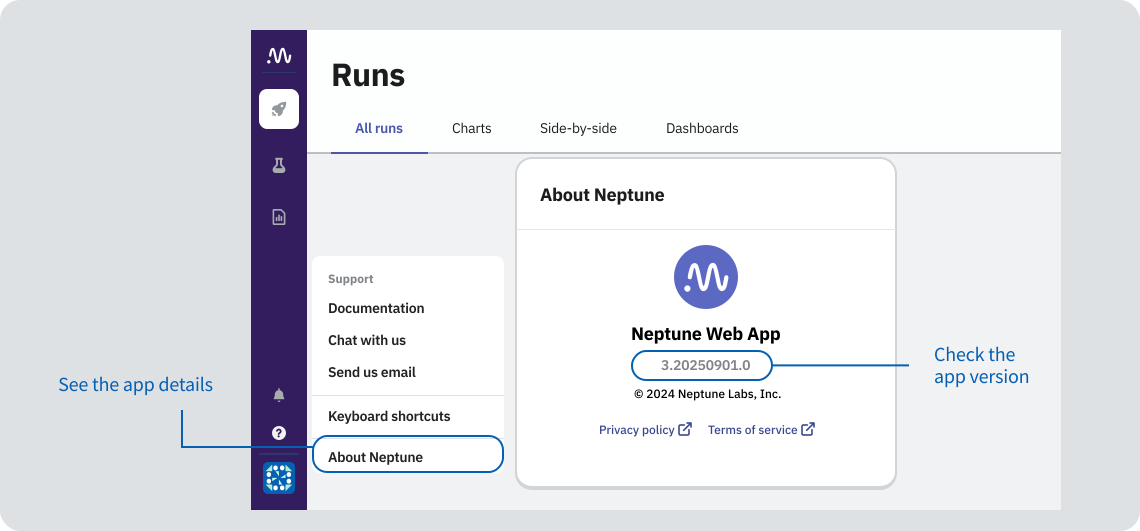
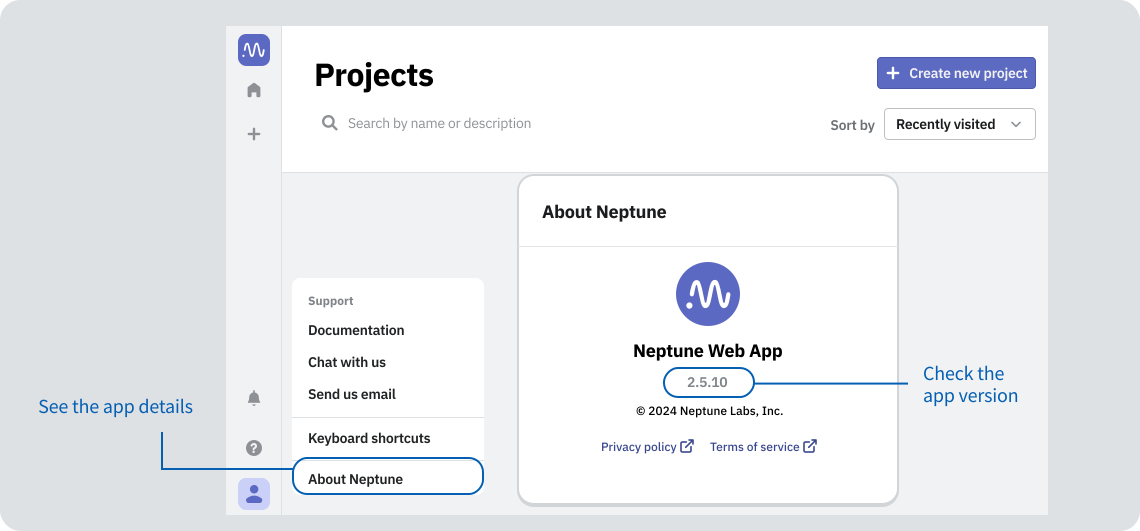
To check which version of the Neptune app you are using:
- Log in to your Neptune workspace.
- In the left sidebar, go to the help menu → About Neptune.
- Neptune 3.x
- Neptune 2.x
More ways to check your Neptune version
-
Docs URL:
- If you usually read docs at docs.neptune.ai, you're on Neptune 3.x.
- If you usually read docs at docs-legacy.neptune.ai (legacy docs), you're on Neptune 2.x.
-
Python packages/imports:
- If you use
neptune-scaleand/orneptune-query(fromneptune_scale import ...), you're on 3.x. - If you use the
neptunepackage (importneptune), you're likely on 2.x.
- If you use
Not sure? Email us a snippet of your requirements.txt/pyproject.toml (or pip show) at support@neptune.ai and we'll confirm.