Load data into GoodSeed
This guide shows how to load exported data into GoodSeed. You can store runs locally (default) or upload them to the GoodSeed remote server.
You can learn more about GoodSeed at their website and docs. Try the live demo or the Neptune demo to see the UI—no install required.
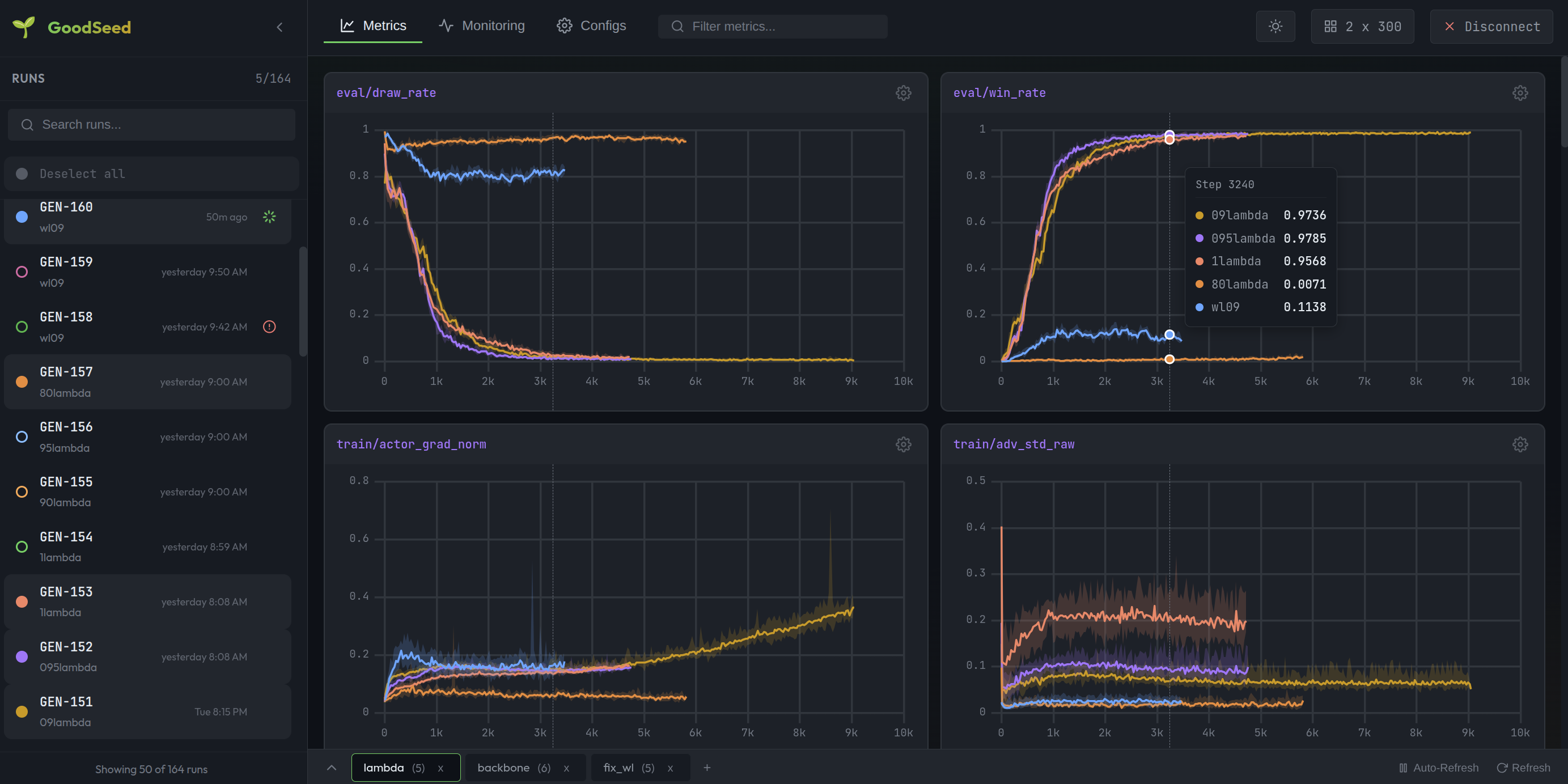
The below image shows an example of Experiment data visualized in the GoodSeed web interface.
Before you start
- Export your data from Neptune using the Neptune Exporter tool. Start from the migration overview.
- Install the GoodSeed extra for Neptune Exporter:
uv sync --extra goodseed(GoodSeed ≥ 0.3.0 is required). - Local storage (default):
- (Optional) Set GoodSeed home with the environment variable
GOODSEED_HOMEor with--goodseed-home(default:~/.goodseed). - (Optional) Set GoodSeed project with
GOODSEED_PROJECTor--goodseed-projectto override the project name for all imported runs; if unset, the Neptune project ID is used.
- (Optional) Set GoodSeed home with the environment variable
- Remote storage:
- Set storage to
remotewith--goodseed-storage remote(orGOODSEED_STORAGE=remote). - Provide your GoodSeed API key with
--goodseed-api-keyorGOODSEED_API_KEY. - You can optionally specify the target workspace and project for the remote server.
- Set storage to
Validate your export
Before loading the data into GoodSeed, inspect what was exported:
uv run neptune-exporter summary --data-path ./exports/data
This command returns the number of exported projects or runs, attribute types, and the basic step statistics.
Load the data into GoodSeed
Local storage (default)
The following command loads the data into GoodSeed locally, using the default data and file paths:
uv run neptune-exporter load \
    --loader goodseed \
    --data-path ./exports/data \
    --files-path ./exports/files
With a custom GoodSeed home and project:
uv run neptune-exporter load \
    --loader goodseed \
    --goodseed-home /path/to/.goodseed \
    --goodseed-project my-project \
    --data-path ./exports/data \
    --files-path ./exports/files
After importing, run goodseed serve to start a local server and view your runs.
Remote storage
To upload runs directly to the GoodSeed remote server instead of storing them locally, set --goodseed-storage remote and provide your API key:
uv run neptune-exporter load \
    --loader goodseed \
    --goodseed-storage remote \
    --goodseed-api-key YOUR_API_KEY \
    --data-path ./exports/data \
    --files-path ./exports/files
You can use the GOODSEED_API_KEY environment variable instead of --goodseed-api-key. Optionally specify the target workspace and project for the remote server via the corresponding CLI options or environment variables (see the Neptune Exporter README on GitHub for the full list).
What gets imported: Parameters (float, int, string, bool, datetime, string set), float series, and string series. Files and histograms are not supported by GoodSeed and are skipped (the loader logs a warning for them).
For detailed instructions, see the Neptune Exporter README file on GitHub.